Workout tracking, GPS routes & training history with Notify
Go out for the run. Keep the details worth coming back to. Notify brings workout recording, useful wrist alerts and activity analysis into the same place.
Notify can record workouts from the phone with supported wearable data, display routes and performance charts, and export activities. You can configure workout profiles, pace or distance assistance, timers and heart-rate alerts for your setup.
Inside the app
See the feature with real Notify screens
These screens come from the Android app running with illustrative demo records. Tap an image to inspect the details at full size.
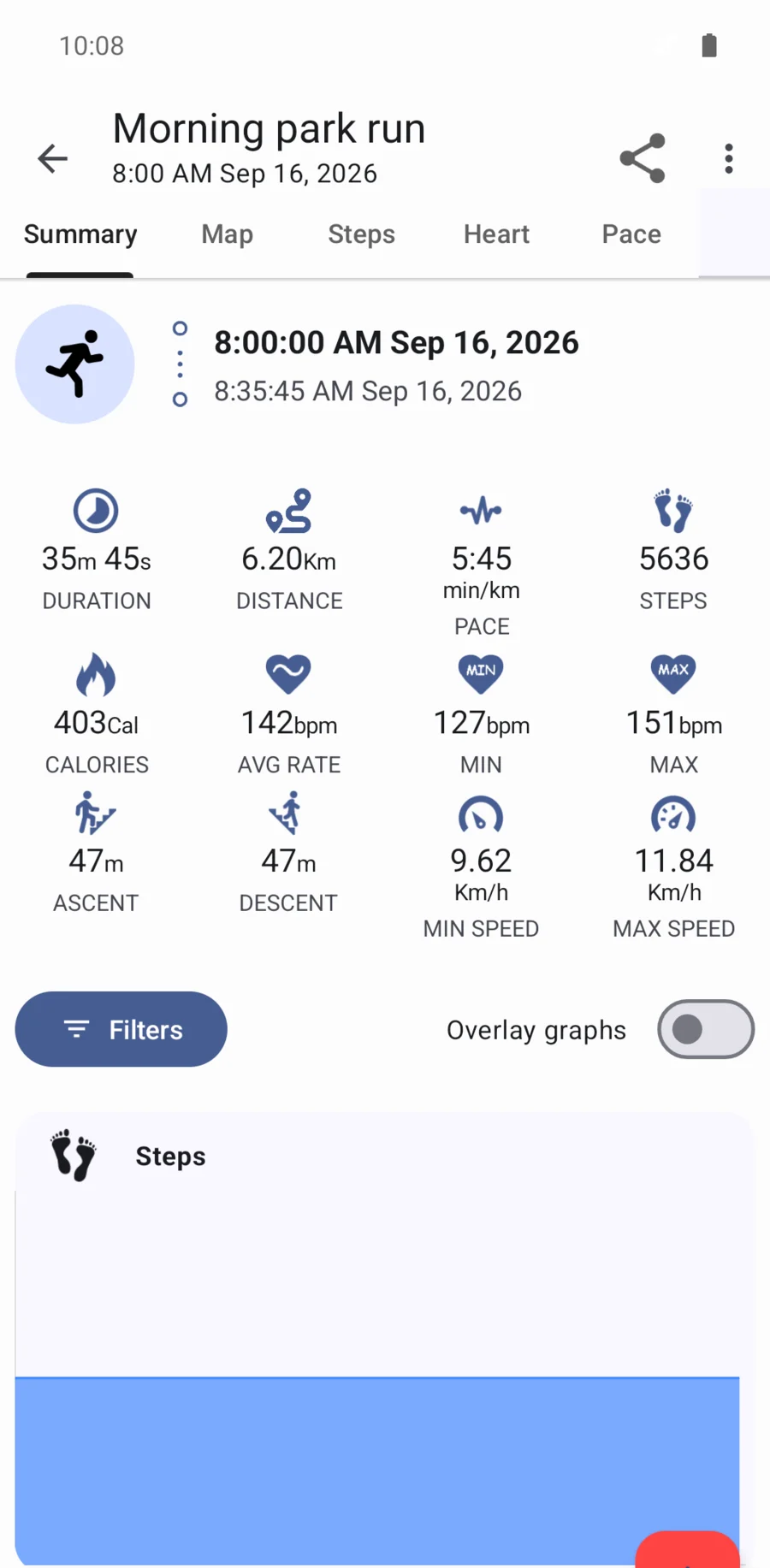
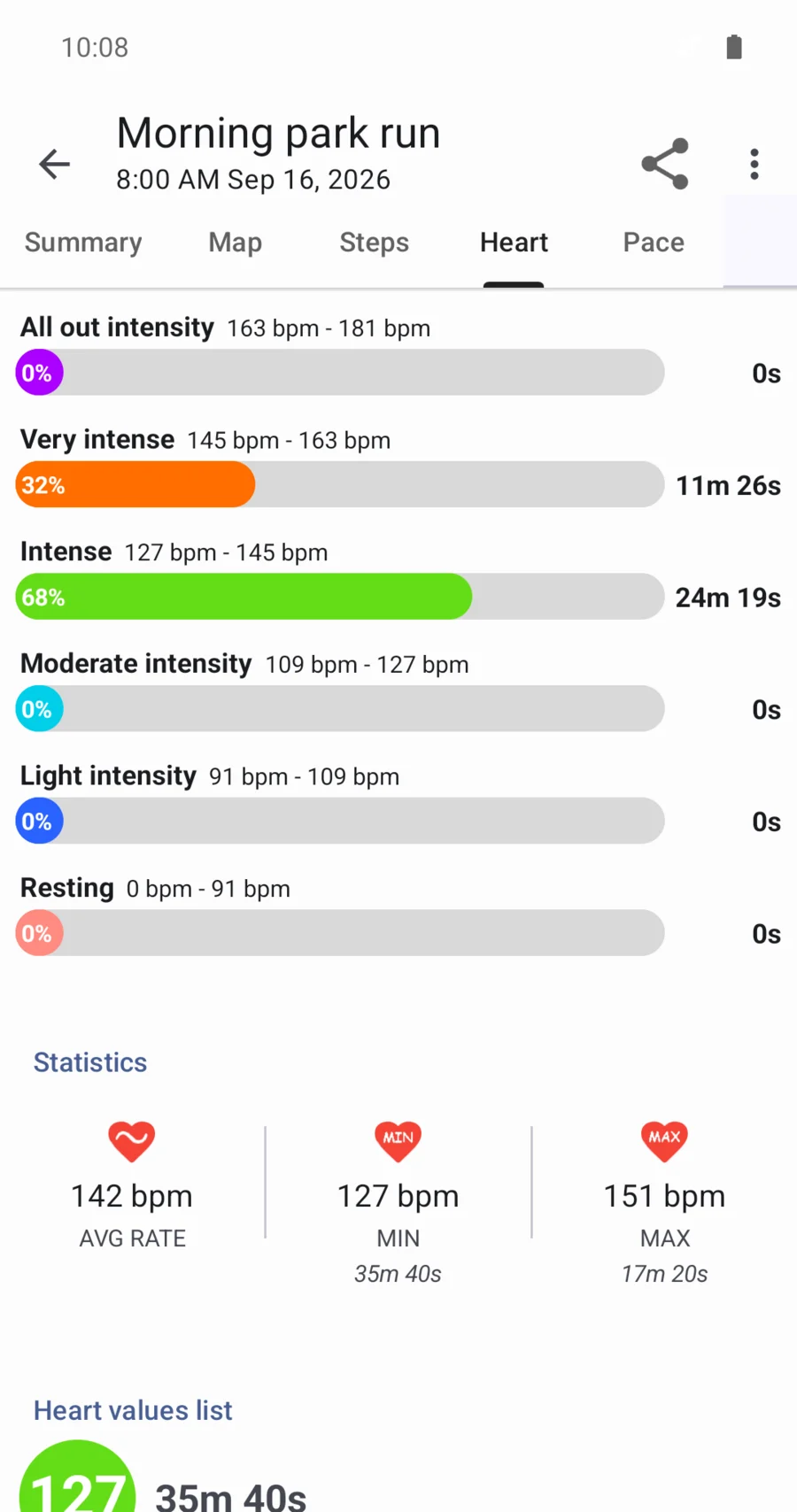
Set up the session before you start
Choose an activity and a workout profile, enable GPS when you want a route, and select the available heart-rate source. Profiles can balance intensive tracking against less frequent measurements. A supported external heart sensor is another option; sessions started without a connected band may have fewer measurements.
Keep useful prompts on your wrist
Distance milestones, pace reminders and configurable timers help you follow the session without repeatedly opening your phone. Supported options include heart-rate thresholds and zone alerts, automatic pause, custom vibration and controls to reduce unrelated notification interruptions.
Find the part of the session that mattered
Open the route and inspect pace, speed, altitude, laps, heart rate, cadence or stride where recorded. Add notes, edit session details or log a manual workout. Compare sessions and weekly, monthly or yearly activity totals to revisit your training history.
- Keep a gym log
- For gym-style exercise entries, record a name, repetitions, weight, duration and rest time. The log preserves what you enter; it does not imply automatic exercise recognition.
- Look at the detail for your sport
- When a synced swim contains the relevant data, inspect stroke style, stroke counts, distance per stroke and SWOLF. Other recorded session segments can appear as lap or interval detail. These fields depend on what the watch recorded and supplied.
Keep your training history useful elsewhere
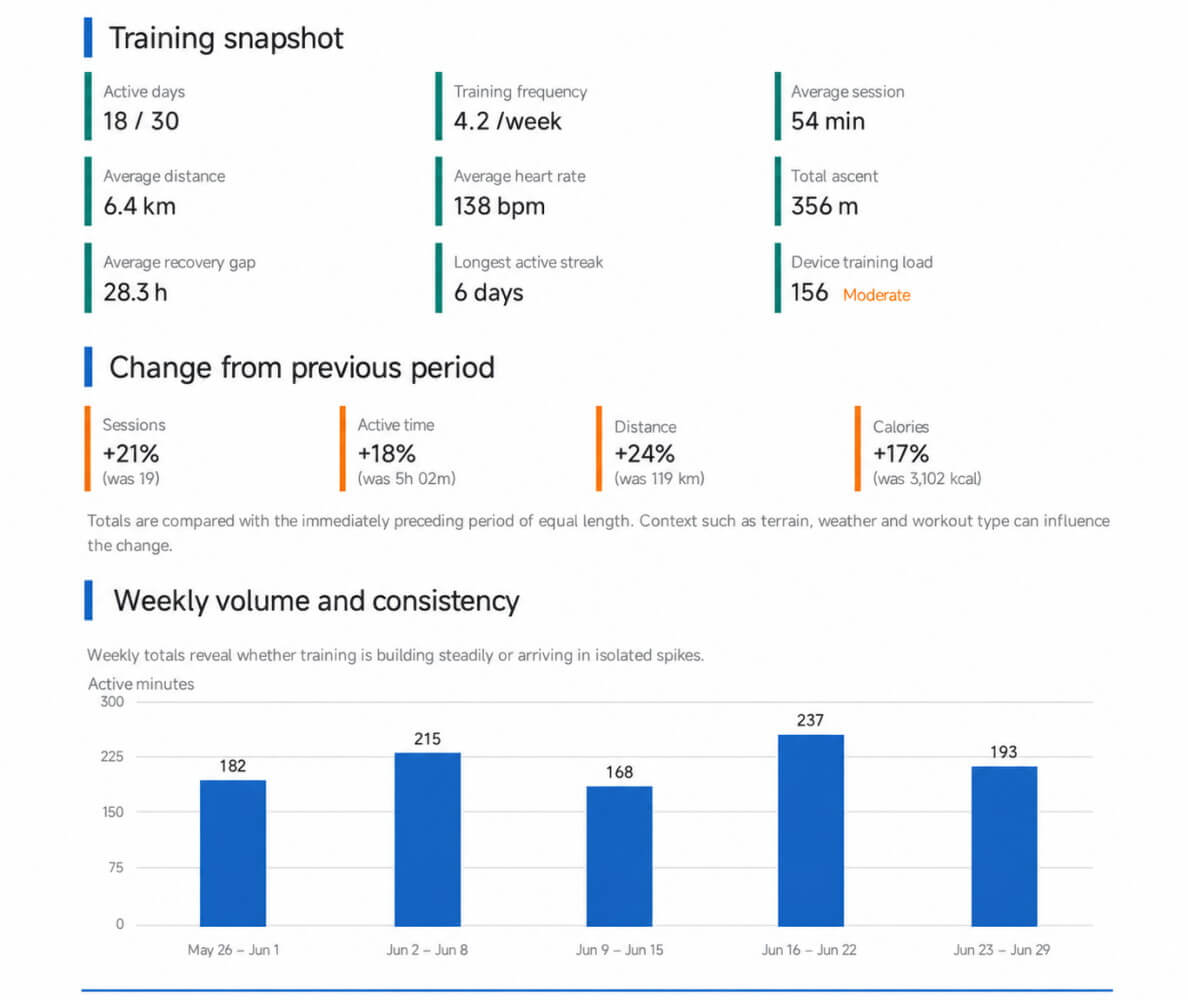
Export supported workout data as TCX, GPX or FIT, import a TCX or GPX activity, or use the available external-service integrations. A single-workout PDF captures session detail; a period report gives you a wider view of frequency and activity volume.
Start with a complete recording
Recording from Notify is useful when watch-only sync is incomplete for your model. Some watches make detailed activity data available only once, so the official app can consume it first. Follow your model's sync instructions and check that the route and heart-rate data appear before exporting.
Find an exercise, then keep a record of the set
Browse the exercise library by name, muscle group or equipment, and save favourites for the movements you use often. Open an exercise to see its available instructions and images, then add it to an active workout.
- Keep in mind
- For gym entries, record the exercise name, weight, repetitions, duration and rest time. This is a log you control, not a promise that the watch automatically recognises every movement or counts every repetition.
Common questions
Can I export a Mi Band or Amazfit workout to GPX?
Notify offers GPX export for suitable activities. A useful route file requires GPS points in the workout; availability depends on how your session was recorded and synced.
Why is my workout missing heart rate or its map?
Check that heart monitoring and GPS were enabled, then review device-specific sync limits. Some watches' detailed records may no longer be available after the official app has synced them.
Can I record a workout without a connected band?
Notify supports a limited recording mode, but wearable measurements such as steps and heart rate may be missing or less accurate. A supported external sensor is needed for heart rate in a phone-only setup.